liminal.repair on iPhone.
A 2004 digicam with 47 looks in it. The app opens straight into the camera: swipe through the looks live, shoot at full resolution or in RAW, and it lands in Photos. The whole editor, the cameras and Explore are one tap away.
✓ Open to anyone with an iPhone. One tap and TestFlight takes it from there.

On a computer? Point your iPhone's camera at this and tap the link that appears — it opens the invite in TestFlight.
How to install
- On your iPhone, install Apple's free TestFlight app from the App Store.
- Open the invite link above on the phone. TestFlight will offer Accept, then Install.
- liminal appears on your home screen like any other app. New builds arrive through TestFlight — turn on automatic updates and you will always have the latest.
Opening this page on a computer? Email the link to yourself, or open
liminal.repair/beta on the phone — TestFlight is iPhone and iPad only.
The camera
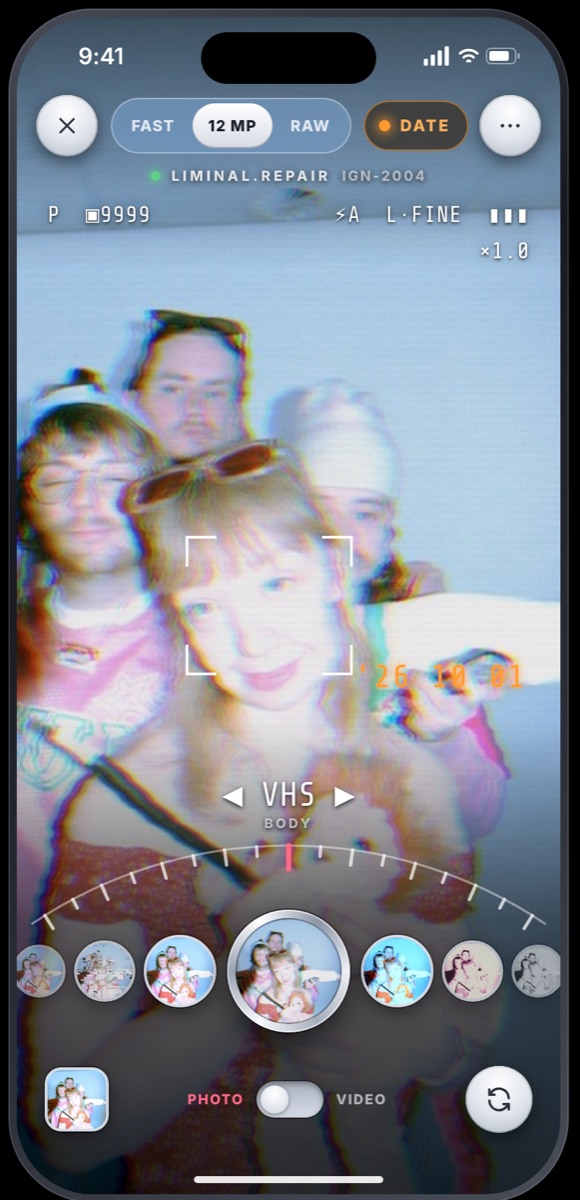
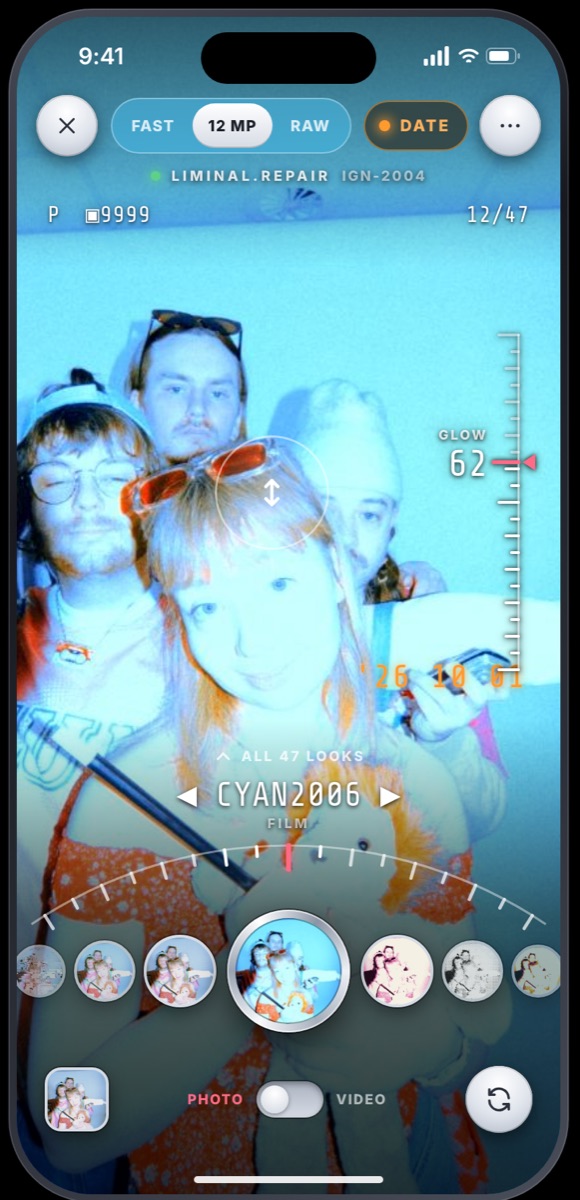
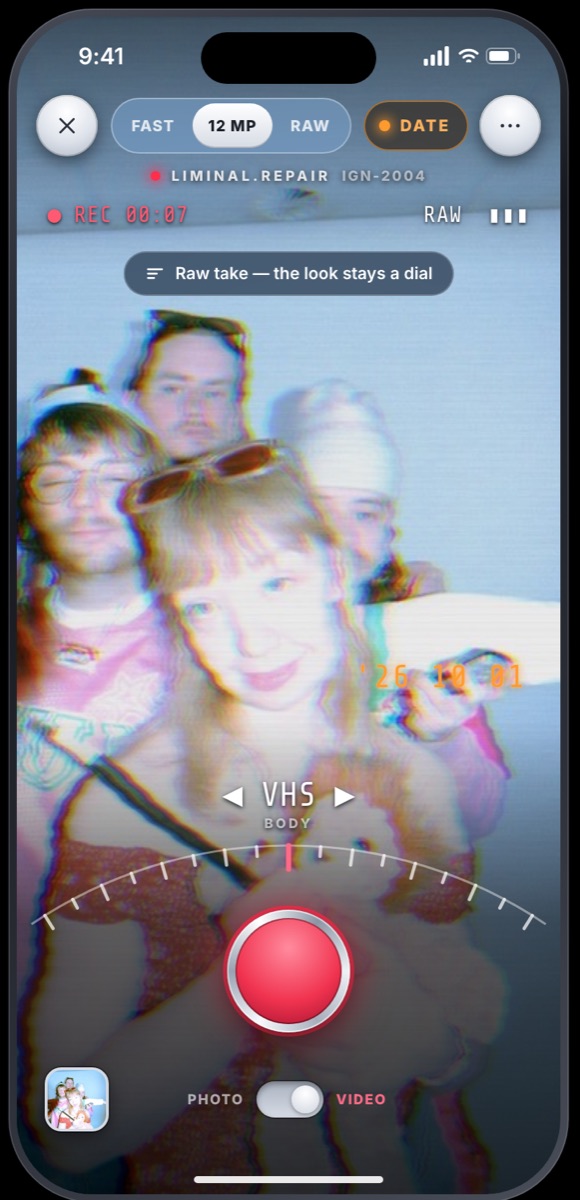
The whole screen is the picture. One wheel of looks around the shutter, a dial scale that ticks under your thumb, the orange date in the corner, and the readout of an old compact across the top.
- Swipe sideways
- the next look, a tick in the hand each
- Drag up or down
- the look's dial, on a ruler at the edge
- Hold the picture
- see it without the look
- Tap the shutter
- a photo — FAST, 12 MP or RAW — straight into Photos
- Hold the shutter
- a video, for as long as you hold
- Swipe up
- all 47 looks at once
Video keeps the look a dial. What is recorded is the camera itself: the take lands in your gallery wearing the look, still yours to change, and a copy with the look rendered in goes to Photos for every other app.
Rather start with a photo you already have? The app asks once, and ⋯ → Settings changes it any time.
It is a beta — that is the point
Things will be rough, and some things will break. What makes this worth doing is what you tell me:
- In TestFlight, the app's page has a Send Beta Feedback button.
- In the app, take a screenshot and tap Share → Send Beta Feedback — the picture comes with it, which is usually the whole story.
- Or write to contact@ali.photo.
What helps most: what you expected, what happened, and which iPhone. Small annoyances count — they are the ones that never get reported and never get fixed.
What to try first
- Point the camera at something and swipe through the looks — then shoot in 12 MP or RAW and open it in Photos.
- Flip to VIDEO, record ten seconds, and change the look on the take afterwards.
- Load a photo of your own, flick through the effects, Export → Save to Photos.
- Explore: tap any camera to shoot through it, and post something of your own.